

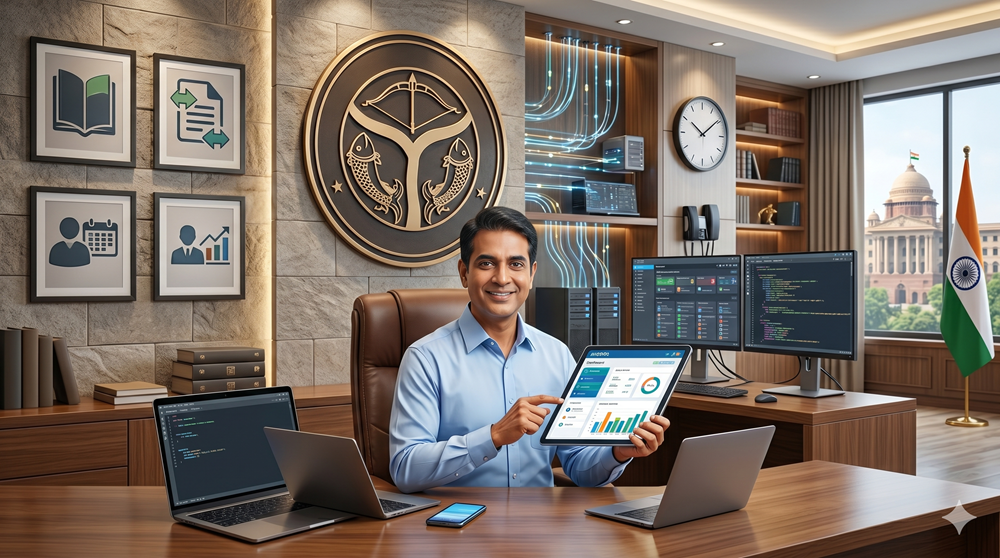
Introduction to the Manav Sampada (eHRMS) Uttar Pradesh Framework
The governance landscape in India has been undergoing a massive digital transformation, and the Manav Sampada Portal stands as a shining example of this evolution. Implemented by the Government of Uttar Pradesh, this robust Electronic Human Resource Management System (eHRMS) is designed to centralise and automate administrative workflows for state employees. Its core purpose is to digitally consolidate human resource tasks, providing a unified platform for monitoring, planning, recruitment, postings, promotions, and employee service records.
For decades, government departments relied heavily on physical files and paper-based tracking. This shift from physical records to the digital Manav Sampada ecosystem has successfully eliminated traditional bureaucratic delays, bridging the gap between state departments and their workforce. By digitizing the entire administrative lifecycle of an employee, EHRMS UP significantly promotes transparency and accountability in governance. Every transfer order, leave application, and performance appraisal leaves a digital footprint, ensuring that the mandates of the Right to Information (RTI) Act are meticulously followed.
The primary stakeholders in this vast digital ecosystem are the government employees and their respective department heads. Currently, the platform serves over 1.6 million registered state employees across more than 80 state departments, including the Basic Education Department, Medical and Health Services, Police, and Revenue Departments. For these stakeholders, the portal provides unprecedented convenience, offering 24/7 access to their professional records without the need to physically visit departmental headquarters.
The Strategic Role of UPSDC in Digital Governance
Behind the seamless interface of the Manav Sampada portal lies a sophisticated technological infrastructure. Central to this is the Uttar Pradesh State Data Centre (UPSDC), a state-of-the-art facility that forms the core of digital governance in the state. Operational since 2012 in Lucknow, the UPSDC is an ISO 27001 and ISO 20000 certified Tier II data center, boasting a remarkable uptime of 99.98%.
Because government employee data includes sensitive personal and financial information, robust security is paramount. The UPSDC hosts and secures this critical employee information on centralised, cloud-enabled servers. This centralisation ensures that personal records, salary details, and departmental communications are shielded from unauthorized access or data breaches, leveraging enterprise-grade firewalls and encryption standards.
The success of the EHRMS UP platform is heavily attributed to the strategic collaboration between the National Informatics Centre (NIC) and the UPSDC. While the NIC, functioning under the Ministry of Electronics and Information Technology, conceptualized and developed the software architecture of Manav Sampada, the UPSDC provides the physical and cloud-based infrastructure to host it. This powerful partnership forms the technical backbone behind the `ehrms.upsdc.gov.in` domain functionality, ensuring that it remains scalable, secure, and capable of handling high-volume traffic—especially during peak periods like tax season or transfer cycles.
Core Features and Benefits for Government Employees
- Centralised storage of the Electronic Service Book (eSB): One of the most revolutionary features is the Electronic Service Book. It completely digitises the traditional physical service book, offering employees instant access to their employment history, joining dates, promotions, and training details.
- Real-time leave management and tracking: Gone are the days of paper applications getting lost on a manager’s desk. The portal allows users to apply for leave online and track the approval status in real-time.
- Streamlined process for transfer and posting orders: The portal has introduced a merit-based transfer and posting system. Transfer orders are generated, finalised, and published directly on the eHRMS platform, eliminating human bias and reducing grievances.
- Ease of access to salary slips and Annual Performance Appraisal Reports (APAR): Employees can download their monthly salary slips, review pension deductions, and securely submit their Annual Confidential Reports (ACR) or APARs directly via the self-service dashboard.
- Security protocols and identity protection: To protect personal identity, the system employs role-based access control. Managers can only access data relevant to their subordinates, and encrypted data transmission guarantees absolute privacy.
Step-by-Step Guide: Navigating the EHRMS UP Login Process
To unlock the benefits of the portal, employees must understand how to navigate the secure login process efficiently. Below is a detailed, actionable method for accessing the system.
- Step 1: Accessing the official URL
Open a secure web browser and navigate to the official portal at `ehrms.upsdc.gov.in`. Always verify that the address bar displays a padlock icon, ensuring the HTTPS connection is secure. Click on the “eHRMS Login” option located at the top-right corner of the homepage.
- Step 2: Selecting the correct department and user state
A login pop-up box will appear. From the dropdown menu, select your specific User Department. For example, teachers choose `EDUBASIC`, health workers select `MEDHLTH`, and police personnel select `POLICE`.
- Step 3: Entering the unique User ID and secure password
Every registered employee is assigned a unique 8-digit Employee ID (User ID). Input this ID along with your confidential password. If this is your first time logging in, your nodal officer or department administrator will provide default login credentials.
- Step 4: Solving the CAPTCHA
To protect against automated bot attacks and verify human identity, enter the dynamic alphanumeric CAPTCHA code shown on the screen. Click the “Login” button to proceed.
- Step 5: Navigating the user dashboard
Once authenticated, you will be directed to your personalised dashboard. Use the menu items on the left sidebar to navigate to the “Employee Fact Sheet,” “Leave Module,” or “Payroll Module” based on your administrative needs.
Methodology for Resetting Forgotten Passwords:
If you encounter a forgotten password scenario, click the “Forgot Password” link directly on the login page. You will be prompted to enter your 8-digit Employee ID and select your department. After choosing either your registered email or mobile number as a recovery method, an OTP (One-Time Password) will be sent for verification. Enter the OTP to securely set a new password and regain access to your dashboard.
In-Depth Guide to Leave Application and Approval Workflow
- How to apply for CL, EL, and Medical Leave: Employees can navigate to the Leave Module and select “Apply Leave.” The dropdown menu allows selection between Casual Leave (CL), Earned Leave (EL), Medical Leave, Maternity Leave, and Childcare Leave. The user simply inputs the start and end dates and provides a brief reason for their absence.
- Uploading supporting documents: For specific leave types, such as Medical Leave or Maternity Leave, the system mandates documentary proof. Users can directly upload scanned copies of medical certificates or prescription documents in PDF or JPEG formats to substantiate their request.
- The hierarchy of approval: The workflow is strictly hierarchical. Once an application is submitted, it is routed to the immediate reporting officer. If the leave duration exceeds the reporting officer’s sanctioning limits, the system automatically forwards it to the higher sanctioning authority, ensuring strict adherence to departmental protocols.
- Real-time status notifications: Applicants receive real-time updates via SMS and email alerts at every stage—from submission to final approval or rejection. This keeps the employee informed without the need to repeatedly log into the portal.
- Leave cancellation and extension procedures: If travel plans change or an employee recovers early, they can easily submit a “Leave Cancellation” request through the portal. Similarly, extensions can be requested by linking a new application to the previously approved leave reference number.
The m-STHAPANA Mobile Application: Connectivity on the Go
Understanding that the modern workforce relies heavily on smartphones, the state government launched the m-STHAPANA mobile application. This Android-based app is a pocket-friendly extension of the Manav Sampada portal, specifically tailored for UP state employees.
The m-STHAPANA app differentiates itself from the comprehensive web portal by focusing strictly on the most immediate day-to-day requirements. While the web portal is best for generating extensive APAR reports or viewing complex payroll histories, the mobile interface is optimised for rapid leave applications, attendance tracking, and quick access to the digital service book.
When an employee uses the mobile app, their inputs are synchronised in real-time with the central UPSDC database. This ensures that leave applied via mobile instantly reflects on the reporting manager’s web dashboard.
Steps to download and authenticate:
- Open the Google Play Store on your Android smartphone.
- Search for “m-STHAPANA” and ensure the developer is listed as the National Informatics Centre (NIC).
- Download and safely install the application on your device.
- Open the app, accept the permissions, and select your relevant department.
- Authenticate using your existing 8-digit Manav Sampada User ID and password. Once logged in, the app securely saves your session for quicker access in the future.
Troubleshooting Technical Errors and Common Login Issues
While the Manav Sampada Portal is highly robust, users may occasionally face technical roadblocks. Knowing how to troubleshoot these common issues saves valuable administrative time.
- Resolving ‘Invalid User Credentials’ and account lockouts: Repeatedly entering an incorrect password will result in a temporary account lockout for security purposes. If you see the “Invalid Credentials” error despite entering correct details, verify that your keyboard’s Caps Lock is off. If locked out, utilise the OTP-based “Forgot Password” feature, or wait 15 minutes for the automated lockout timer to reset itself.
- Fixing connectivity issues related to server downtime: Due to the massive user base of over 16 lakh employees, the UPSDC server occasionally undergoes scheduled maintenance or faces peak-hour traffic bottlenecks. If the portal times out, clear your browser cache, ensure your internet connection is stable, or try accessing the portal during non-peak hours (early morning or late evening).
- Handling incorrect data in the Electronic Service Book: It is crucial that the eSB accurately reflects your employment history. If you notice a discrepancy—such as an incorrect joining date or missing promotion—do not ignore it. Employees cannot directly edit these core fields themselves. Instead, you must draft an application highlighting the error and submit it with supporting documentation to your departmental nodal officer. The nodal officer holds the administrative privileges to correct and verify database entries.
The Impact of Digitalisation on Administrative Efficiency in UP
The holistic integration of the EHRMS UP framework has catalysed a paradigm shift in how the Government of Uttar Pradesh functions. The impacts are highly measurable, deeply influencing both administrative efficiency and workforce morale.
First and foremost is the massive reduction in paper waste and overhead administrative costs. By shifting leave tracking, transfer postings, and APAR submissions to a cloud-based infrastructure hosted at the UPSDC, the state has drastically cut down on stationery expenses, physical storage space, and the logistical costs of manually moving files between districts.
Furthermore, digitalisation has dramatically accelerated promotion and retirement processing timelines. In the past, verifying a retiring employee’s physical service book could take months, often delaying pension disbursements. Today, with the Electronic Service Book, comprehensive career histories are verified with a single click, allowing for timely and highly accurate pension calculations.
Case studies of successful departmental integration, particularly within the Basic Education Department, highlight the system’s efficacy. With nearly half a million teaching staff scattered across rural and urban schools, the Manav Sampada portal, coupled with the m-STHAPANA app, has allowed teachers to effortlessly manage their attendance and leaves without disrupting vital educational activities. This ensures teachers remain in classrooms rather than waiting in endless administrative queues.
Looking toward the future, the state government intends to introduce AI-driven analytics into the EHRMS framework. By leveraging the vast data housed in the UPSDC, predictive analytics will enable better workforce planning, identifying skill gaps, forecasting retirement waves, and ensuring the equitable distribution of government personnel across all districts in Uttar Pradesh. The Manav Sampada portal is not merely an IT project; it is the cornerstone of a transparent, efficient, and thoroughly future-ready state government framework.

